Showing posts with label edtech. Show all posts

Monday, March 19, 2018

Engagement Doesn't Often Mean Effectiveness

A few weeks ago I asked a group of teachers to describe a lesson where technology was used effectively to impact learning. After some thinking, one of the teachers described a lesson where students were using Google Maps to take a tour of different parts of the world. They were to visit some predetermined places, go into street view and answer a few questions. The teacher finished the story by saying the students were really engaged, the most he had ever seen them.

I ask this question a lot when I work with teachers on effective technology integration. And every time I do I hear lessons described just like this teacher. And they always end the same way.

The students were really engaged. 

Then I always ask, but was the lesson effective? And if you think it was how do you know? 

This question seems to stump many educators.

When I work with Principals on walk-throughs I hear the same thing over and over. If students are engaged, the lesson must be effective. But effectiveness doesn’t mean that what we teach is effective, especially in the case of technology. Just because we see technology being used, and students highly-engaged, doesn’t at all mean the lesson is effective.

In order for a lesson that utilizes technology to be effective, meaning that students actually learned and retained knowledge, then technology has to fade to the background and just be the tools that are used for students to collaborate, or share their work with a global audience or create new knowledge or new products. Effective lessons that utilize technology are those where there are not only clear outcomes for what students are to be learning but clear understanding of where students are in that learning and where the teacher is in their teaching.

When looking at the effectiveness of a lesson we have to turn to what is research-proven to work. Using the research of John Hattie and his Visible Learning “meta-meta analysis” of over 50,000 individual studies of factors that affect student achievement as a guide, we can find clear methods that can help educators to not only create engaging but effective lessons.

There are four key areas that have some of the largest effect sizes (meaning the more effect they can have to boost lesson effectiveness and student achievement) that can make what and how we teach more meaningful and effective.

Classroom Discussion (Effect Size-0.82) It may seem simple but stopping a lecture or lesson to engage students in a clear discussion on the topics being learned can produce meaningful gains on lesson effectiveness. Instead of lecturing for the entire class period or having students copy pages and pages of notes, we pause to ask questions, related to the aligned standards and intended outcomes of the lesson. Students are given opportunities to respond and ask questions of their own. For the teacher, it is an opportunity to discover how the lesson is progressing and what adjustments need to be made.

In the case of Classroom Discussion students can clearly be engaged and lessons can become more effective by having simple classroom conversations.

Feedback (Effect Size-0.73) Another area that can show students are not only engaged but the learning is effective is feedback. We have to be careful here however. Feedback that only praises students (like saying “good job” or “great work”) won’t cut it. The type of regular feedback that teachers and students engage in that is most effective is student-driven. Students are able to show the teacher learning through their eyes. Closely related to formative assessment, the teacher gains an understand of what students know, with timely, specific and actionable feedback, within the process of learning, not at the end of learning.

In the case of Feedback, it should be clear to the teacher that students are not only engaged but just how effective (or not) the lesson is through regular feedback with students.

Providing Formative Assessment (Effect Size-0.68) If there is one area I believe is the easiest to implement and can provide one of the best ways to judge the effectiveness of the learning that is taking place it is formative assessment. As Shaelynn Farnsworth says formative assessment acts as a GPS to help teachers understand where their teaching is going and where students are in their understanding. Without formative assessment teachers are navigating blindly when they can be making meaningful adjustments in the moment. Formative assessment also informs students what they know and what opportunities for growth there still are.

In the case of Formative Assessment the teacher will not only see that students are engaged but will know whether or not their lesson is effective.

Meta-Cognitive Strategies (Effect Size-0.53) When we use meta-cognitive strategies, teachers help students think about their thinking. It would be easy to believe that our lessons are effective if every student gets all the answers correct on a quiz. But what do they really know? When students can articulate their thinking, describing in detail, not only what they know, but how they know what they know, teachers can gain a clear understanding of the effectiveness of what they are teaching. Students shouldn’t just memorize facts or events. They should be able to speak to their learning in a way that tells the teacher how effective that lesson is.

In the case of Meta-Cognitive Strategies, students must be engaged in order to clearly speak to their learning and the teacher will clearly be able to determine the effectiveness of their lesson.

Going to ASCD in Boston next week (March 23-26, 2018) and want to learn more? Join me for my session Key Indicators of Highly Effective Technology Use, BCEC, Level 1, Room 109A from 1:00-2:00pm to talk about this and much more!

Tuesday, June 14, 2016

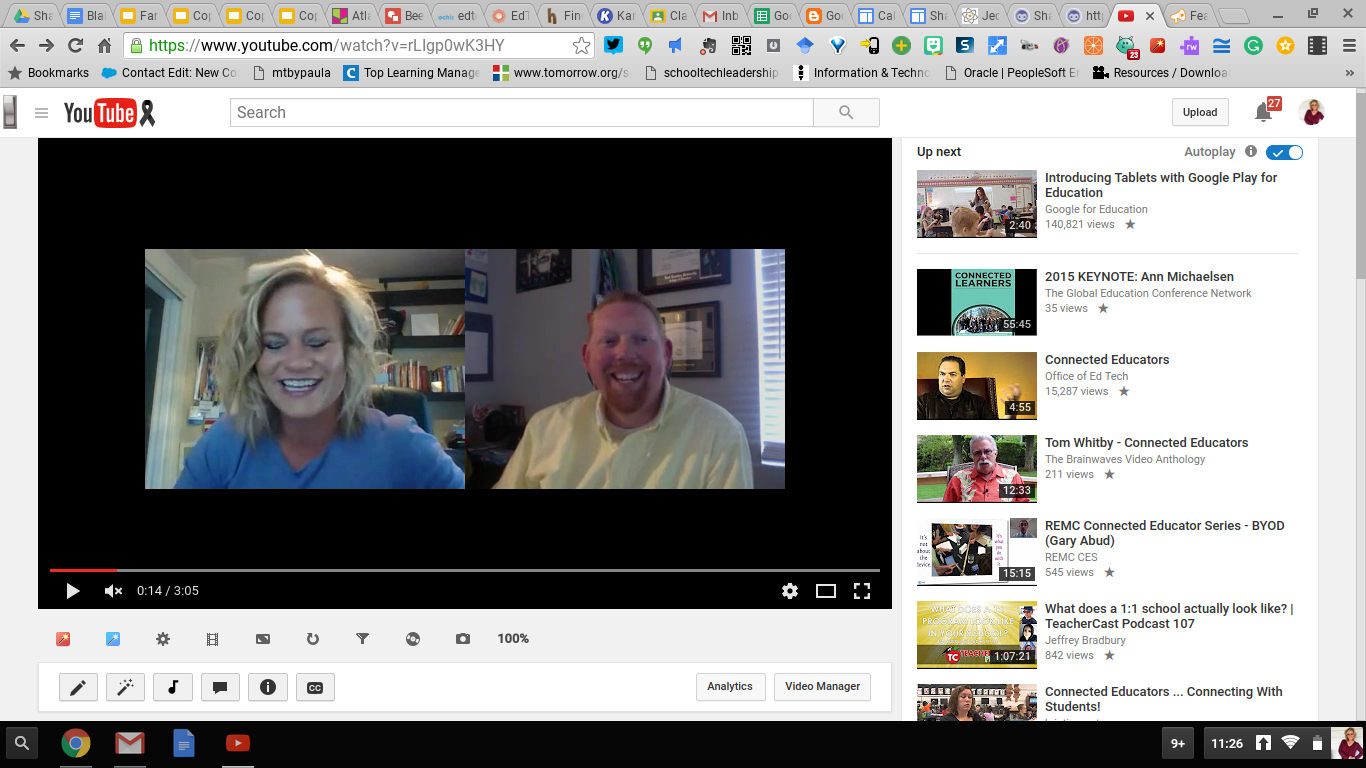
10 Student-Centered Ways To Use Blab In The Classroom with @shfarnsworth

Screenshot 2016-06-13 at 11.26.41 PM.png
This post is the result of a collaboration between myself and my good friend Shaelynn Farnsworth

I always enjoy learning about new tools and the place they possibly could have in the classroom. When my friend Shaelynn reached out to me to record a video with her for a project on Connected Educators I jumped at the chance because she was going to introduce me to a new platform. 

Blab is a live-broadcasting app that streams video to a “Public” or “Unlisted” stream (host’s choice). With 4 “Open-Seats” available in each Blab, topic-driven conversations are shared with a live audience. Interaction also occurs via text through live audience participation. While anyone can call-in (or ask) for an “Open-Seat”,  only the host can approve who receives the spot. Moderating participants came in useful when we were Blabbing; people from Australia to Korea all wanted to join in the live conversation.

Blab also allows users to record all or a portion of their live stream. Sharing is easy; the video can be embedded, tweeted, posted on Facebook, and even shared to the user's YouTube channel. Finally, like other social media platforms, “following” and “followers”, help you be part of the conversations that matter most to you!


Shaelynn and I agreed, Blab was fun, easy to use, and versatile which makes it great for classroom use. After our Connected Educators conversation, we starting chatting about the ways this could be used in the classroom. Here are the Top 10 Ways Students could use Blab in the classroom:

10 Ways Students Can Use Blab in the Classroom - by Steven Anderson and Shaelynn Farnsworth
  • Interviewing Experts and Primary Sources - Students are no longer limited by location to the information they have access to. Technology provides opportunity and means for learning to expand beyond the walls of the classroom. Blab provides an easy way for students to connect with and interview experts, gaining new information from primary sources. 
  • Live Demonstrations of Science Experiments - In science class we certainly want students to get hands on when it comes to experimenting. But there are cases where, for safety or other reasons, keeping them at a distance is best. Through Blab the teacher can be conducting the experiment remotely and have the rest of the class join, share and comment through a Blab. The best part? Experiments no longer have to be tied to the classroom? So if there are investigations where more expertise is needed the teacher can go to that location (like a local university with more resources) while students view from afar. 
  • Student Presentations To Authentic Audiences - Many times the work students do lives between themselves and their teacher. The hours of work they spend creating and crafting is sometimes seen by their classmates but rarely anyone else. With Blab, students have a live, authentic audience to present their findings or project to. Using the chat feature they could solicit feedback or opportunities for growth. An since Blab supports up to 4 video feeds a lively discussion could also take place, face-to-face, with reviewers from across the world. 
  • School or Community News Broadcast/Journalism - Live streaming of school events, sharing of news in the district or community, all provide students the option of reading, writing, and speaking in authentic and engaging ways. Pairing Blab with student journalism provides a multimedia avenue in which students hone life skills. The ability to embed the final video or upload to YouTube give students a way to share their work long after the Blab is over.  
  • Students Practicing Reading/Literacy Skills - Students, especially younger students need opportunities to read and practice their growing literacy skills. Blabs could be set up between an Elementary classroom and a Middle School or High School class where younger students practice reading to older students. The reverse could also happen too. As students are developing those critical literacy skills they need to hear them modeled. So the older students could read to the younger students as well. All of this recorded for feedback and reflection later. 
  • One on One Conferencing/Peer Feedback - With any type of feedback, be it from reviewing a paper or project or looking at overall learning objectives and goals, having a peer review process in place in the classroom can help students think more intrinsically about their own thinking. Using Blab, students can peer review each other and record that feedback for analysis or use later. And the peer doesn’t have to be a classmate. Since Blab is global, peers can be anyone, anywhere in the world. 
  • Cross Curricular Projects/Group Work - Group work is at the heart of a collaborative classroom. However, what do students do when the bell rings for the day? They still have work to do together but are going off to their different homes. Blab can bridge the gap between group members allow them to chat, share links and talk through their work. For the teacher, sessions could be recorded to review the thinking and dynamics of the groups later. 
  • Creating a Culture of Awesome - Video provides a powerful glimpse into the lives of our students. Using Blab as a way to spotlight students, or other educators in the district shines light on all of the good happening in the school. By allowing students to create the video, ownership in message which transfers to a positive climate and culture of a school heightens student voice and models a positive way social media can be used to make a an impact.
  • Field Trip Recaps - Video reflection through Blab can help kids sort through experiences and anchor their learning. After field trips, speakers, and other academic experiences; students can follow-up with a video response. Done with a small group of peers, Blab is a perfect app in which students can share their learning. Download the Blab app onto your phone, and students are now mobile videographers, sharing their learning along the way.   
  • To Create Shared screen or tutorials - Have students create tutorials using Blab. Whether demonstrating Minecraft in the classroom, or how to write a Shakespearean Sonnet, when students are doing the teaching, students are also the ones doing the learning.  
Have an idea to help make Blab better? Share here, I Blab, the uservoice forum to share your thoughts!

Tuesday, February 19, 2013

Finally, Something Good On The Radio

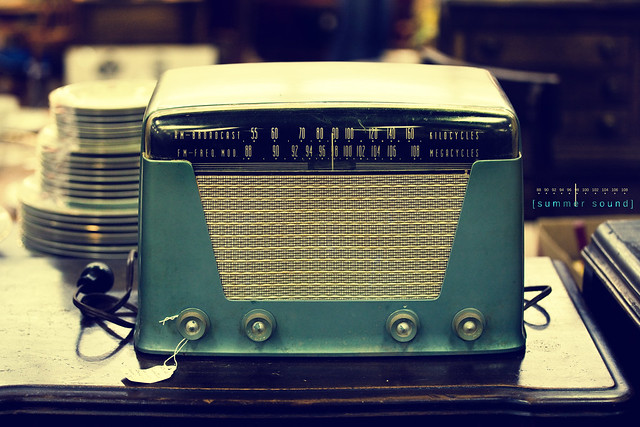
It was said long ago that video killed the radio star. I dunno anything about that. But, radio (ok, podcasts) are alive and well. And lucky for you there are several good ones out there to listen to online or download on the go.

I want to highlight 2 new ones. It is a little self-serving as I am the host of one and a commentator on another but I hope you will look at the content and see some value there.

Edtech Radio-My first shot at my own show. We talk about everything in the world of #edtech. The first 3 episodes focused in on the popularity of flipping the classroom and why some (myself included) don't exactly think it's the right way to go. I also did a show on how to get more out of educational technology conferences. We've got several shows coming up on topics ranging from is free always best to keeping information safe. And you can always tweet me your show ideas. @web20classroom

Edchat Radio-This is the radio home of #edchat. Each week we break down each chat and talk about the conversation. It's a great way to catch up with what we've been talking about on each chat and you can hear the opinions of the founders and moderators too.

None of this would be possible with out the BAM Radio Network. They have tons of shows and segments related to a wide variety of educational topics. Definitely check out all their offerings.

photo credit: Brandon Christopher Warren via photopin cc

Monday, February 21, 2011

#Edtech Over The Pond

On Friday, Ken Royal had me back on his BlogTalkRadio show, this time to talk to Joe Dale, an educational technology consultant, living on the south English coast. I was thrilled to be able to exchange ideas with Joe and the conversation did not disappoint. We talked about the importance of educators getting connected, how they can do that and even had a chance to do a mini smackdown where we shared some of our favorite tools.

I think for me the conversation affirmed that the same issues we face in the US are similar else where in the world. Joe and I both struggle with helping educators see the value of getting connected in these online spaces and getting them to understand how they can grow as an educator using something simple like Twitter.

Below is the player with the interview. Take some time and listen, not to me but the exchange of ideas. And listen some of the other great interviews Ken has done with some of the great thinkers in the edtech world.


Listen to internet radio with royaltreatment on Blog Talk Radio

Tuesday, January 19, 2010

The Old and The New...

I recently changed jobs. I went from being the Instructional Technologist for a district of 19 schools to the Instructional Technologist at 1 school in a larger district, much closer to home. It was a tough decision for me. The people in my former district are great. They really care about kids and love what they do. They also take care of each other...

Before I left there was a small gathering of the media and technology folks in the district. A couple of the people there took me aside and said they had a going away gift for me.
Now, I told everyone that I did not want anything, nor needed anything but these people remembered something I said when I first started working.

I am a collector of technology. Ask my wife. She hates it. Any chance I get to get some old piece of equipment I take it! I have tons of old CPU's and laptops a reel-to reel film projectors, old school film strips...if it was a piece of technology that was once in a school I probably have it. Some of it works, others, not so much. I dunno why I have it. I just feel a connection to it and can't see it cast aside.

But there was always one thing missing from my collection. I so wanted an Apple IIe. This was the computer I grew up on, learning and playing games on as a kid in school. I can remember entire summers spent in front of that massive, lead-based monitor, making my way from Missouri to Oregon while tying to not die from dysentery. Having an Apple IIe would almost make my collection complete....almost...but it would do wonders for me!

These teachers remembered me talking about all this 2 years ago. I never spoke of it again. But they remembered. One of the teachers had an Apple IIe in her classroom that she gave to me with tons of software, including my all time favorite, Oregon Trail. I just about fainted. It was one of the best gifts I have ever gotten.

But could I accept this? This teacher had several in her classroom that her 4th graders used everyday. She had the regular issue workstations and an IWB and laptops in her classroom. But there was something about those Apples that they were still a big part of her teaching and her classroom. I did not want to take one but she assured me it would be find and she wanted me to have it.

Bringing it home and setting it brought back so many memories for me. The flash of the monitor and the not so quiet grind of the floppy drive made me think of when I was in school. I just sat for a moment and remembered....


Then I got to thinking. Do we sometimes use a piece of technology because it is the latest and the greatest? Or are we making the best choices for our kids because they are the best choices? This teacher saw the value in using technology from the 80's because it still had value both to her and her kids. They loved it. These are kids who go home and play on their Wii's and their cellphones probably have more memory than those Apples!

Are we installing IWB's all over the place because it is the right thing to do? Are we installing IWB's because of their flash value or do they really make true change? Or have we looked around to see if there something else out there that is better and or cheaper?

My point is sometimes old isn't necessarily bad. Of course there are better choices than a chalk board and an overhead. What I mean is that we need to be mindful of the technology choices we are making for our kids and our schools. Yea, sometimes the latest and greatest is just that. But sometimes the Apple IIe will do just fine.

Image from Flickr CC Search. View the original here.