Tuesday, January 11, 2011


Monday, January 3, 2011
Looking Back At 2010 And Looking Forward To 2011...
 |
| Image From CC Search-Flickr (User Kadath) |
I wrote a post on December 28, 2009 where I talked about tools that I thought would have a break out year.
How did I do?
Voicethread- I still don't think this wonderful program gets the attention it deserves. There was a lot of buzz about it every now and then on Twitter but I still don't see it's widespread adoption as a great storytelling tool and feedback tool. If you aren't familiar, Voicethread is a program where you drop in some images and then can record text, audio or video around the image. The best part is that others can do the same. Think about it in a lower elementary classroom. Kids draw images representing what their year will be like. Then the other kids in the class record their thoughts around the image. Very easy and lots of potential. Here is an example I use a lot where I asked people to give me their thoughts on what a PLN (Personal Learning Network) means to them.

I still believe this is a great and easy tool for anyone to use. Need ideas? Check out the Voicethread In Education wiki for some.
Skype- I do think I got this one right. Skype took off and more and more teachers are using it in the classroom. Even Skype itself got in the game late in the year and created a place for teachers to sign-up to connected with other classrooms. I have noticed there are less people talking about it being blocked, which is a positive. They have rolled out 10 way video calling but you only get it for 30 days unless you pay. Bummer. They are moving more and more into the mobile market and now you can do video calls on the iPhone. I see more great things this year for the program. If you need ideas, check out one of my favorite ways to use it, Around The World With 80 Schools.
Ning- What can we say about Ning? They decided to go to a paid service. So many educators ditched the service all together since the free options for educators doesn't really have all that they need. Many people looked at free options like the Buddypress add in for a Wordpress blog. That seems to work well, if you know what you are doing. I think the bigger story here is the fact that social networking in the classroom really took off. Through the use of Twitter, Facebook and other sites, educators are starting to see the power of social media to extend learning beyond the classroom. So if Ning is gone where can you turn to introduce social networking to your students? Here is a great list created right after Ning went paid.
Diigo-I am gonna say that I got this one mostly right. Diigo did have a break out year. More and more people started using the great education features. It wasn't until the end of December that they really started to grow with the mostly correct announcement that Delicious (another social bookmarking service) was being shut down or sold off by Yahoo. More and more people jumped ship and imported their bookmarks into Diigo. I think more and more people will begin to use the service and more and more educators will see the power that those features have in the classroom. Look for great things from Diigo this year.
So what do I see for this year? Well I learned my lesson last year so I will try to be less tool specific but I think there are somethings to keep an eye on for this year.
QR Codes-If you have been keeping up with my blog I have written a lot (here and here) about QR Codes. (I even have a Livebinder full of resources.) I see these popping up in more and more places and I think this could be the year that they really break out into the mainstream both out of the classroom and in. Education author and all around awesome guy, Jeff Utecht, wrote that this is the year of the QR code. Check out his thoughts.
More Social Networking- I believe that more and more educators will see the benefits of having a place where their students can meet online to share information, gather or just chat, outside the classroom. Some are already using spaces where kids are like Facebook but I believe services like Edmodo (one of my favorites) will continue to grow and gain in popularity.
Tablets- The iPad is wicked cool. While there are some imitators out there, I haven't really seen good competition. (The Samsung Galaxy is about the closest.) Expect that to change in a few weeks at the Consumer Electronics Show in Las Vegas. This is the chance for us to see what will be hot in electronics this year and I expect it to be tablets. Once the price is right I think these will replace netbooks and laptops in 1:1 programs in schools. That is, as long as the apps keep up. And that is key. Apps are what make the iPad so great. So education related companies are going to have to be innovative in the apps they create for these devices.
I do have a wildcard piece of tech this year to keep an eye on. The Xbox Kinect. This is basically a camera system that you connect to your Xbox and play games without an controller. Cool stuff. The use in physical education is obvious. But I am thinking about the use in Special Ed and physical therapy. Lots of potential there and I bet we will see at least one education company develop learning games for the Kinect. And it acts as a webcam so it could fit easily into the classroom.
So there it is. My reflections on 2010, and my thoughts on 2011. What do you think? What did I miss? What did I not consider? What do you think will be the "big thing" in Edtech this year. Leave some comments below.
Happy New Year!
Tuesday, December 21, 2010
QR Codes: The Desktop Version And A Follow-Up
When I wrote my post yesterday about QR codes I was just tossing around some ideas and putting some things out there that I had seen. I never expected the awesome feedback I have gotten and people wanting to know more. I have gotten lots of questions and have been thinking lots about practical ways to use these in the classroom...
First, QR codes definitely have the cool factor. Get your mobile device, scan, and be taken away to the magical world of the Internet to get some great information. Are they a necessary teaching tool? Probably not, but neither is most of what we use in education today. But they are another tool to use. QR codes are taking off, evident by their growing presence in advertisements and other places. Sure, it will take sometime for them to become mainstream. One question I got was are students using these now. I don't think so but, they are poised to hit things like console games. Think about it. Your game comes with this funky black and white box with the directions to scan. When you do you get a secret cheat code, or a code to unlock some part of the game you only can by scanning the code. (Heck, QR codes might already be on games. I have no clue though.)
The point is, these codes can contain just about any information you want. On your business card you could create a code that listed all your areas you specialize in. Since you have 4000 characters, there is a lot more room in the code than there is on the card. And the code removes the chance for mistyping a URL or leaving out some piece of information.
Scan and go.
Plug and chug.
There are some really great ways to use them in education that I want to highlight.
But first...
The biggest question I have gotten is "What do I do if my students don't have mobile devices." Not to worry friend! Many of the ways I have been thinking about using them don't involve mobile devices at all.
Today I threw together a short screencast with a couple of ideas on how to use a desktop QR Reader:
You can download this desktop QR Code reader here. Again, very easy to use and since Adobe Air will run on just about any platform you can install it just about anywhere. I am sure this is not the only one. David Hopkins told me about another (Quickmark) but I had trouble getting it to install and work correctly (but that could have been the machine I was using.) If you have other suggestions leave them in the comments below.
The other question I got a lot was about generating codes. The website I listed in the previous post works well for me. I like that it will do websites, text, even send a SMS message when scanned. And I can get the embed code or a link directly to the code to print or to copy and put where ever. I also found some browser extensions that will automatically create QR codes that you can then scan with a phone to save or get more information.
Ok, so you have put a QR scanner on your desktop or phone. You can generate them. Now what? How will you use them? In edition to some of the ideas from yesterday, here are a few more.
So there are just 3 more ideas. Check out the comments at the bottom of the previous post. There are tons more resources that people have put there.
Can you think of a way to use them? Leave some comments here. I will compile them into another post to share all the wonderful ideas.
First, QR codes definitely have the cool factor. Get your mobile device, scan, and be taken away to the magical world of the Internet to get some great information. Are they a necessary teaching tool? Probably not, but neither is most of what we use in education today. But they are another tool to use. QR codes are taking off, evident by their growing presence in advertisements and other places. Sure, it will take sometime for them to become mainstream. One question I got was are students using these now. I don't think so but, they are poised to hit things like console games. Think about it. Your game comes with this funky black and white box with the directions to scan. When you do you get a secret cheat code, or a code to unlock some part of the game you only can by scanning the code. (Heck, QR codes might already be on games. I have no clue though.)
The point is, these codes can contain just about any information you want. On your business card you could create a code that listed all your areas you specialize in. Since you have 4000 characters, there is a lot more room in the code than there is on the card. And the code removes the chance for mistyping a URL or leaving out some piece of information.
Scan and go.
Plug and chug.
There are some really great ways to use them in education that I want to highlight.
But first...
The biggest question I have gotten is "What do I do if my students don't have mobile devices." Not to worry friend! Many of the ways I have been thinking about using them don't involve mobile devices at all.
Today I threw together a short screencast with a couple of ideas on how to use a desktop QR Reader:
You can download this desktop QR Code reader here. Again, very easy to use and since Adobe Air will run on just about any platform you can install it just about anywhere. I am sure this is not the only one. David Hopkins told me about another (Quickmark) but I had trouble getting it to install and work correctly (but that could have been the machine I was using.) If you have other suggestions leave them in the comments below.
The other question I got a lot was about generating codes. The website I listed in the previous post works well for me. I like that it will do websites, text, even send a SMS message when scanned. And I can get the embed code or a link directly to the code to print or to copy and put where ever. I also found some browser extensions that will automatically create QR codes that you can then scan with a phone to save or get more information.
- For Firefox, Mobile Barcoder sits at the bottom of your screen. You highlight anything; text, URL, image and it creates a QR code on the fly that you can then scan with your mobile to save the information. You can also highlight the text, right click and generate the code that way. Pretty handy for getting information to your mobile device.
- For Chrome, the QR Code Extension does all the same but has more options like sending the code to Facebook, saving the code so you can post it in email or on your website or blog, and integrating with the URL shortner Bit.ly so you can share your codes easily.
Ok, so you have put a QR scanner on your desktop or phone. You can generate them. Now what? How will you use them? In edition to some of the ideas from yesterday, here are a few more.
- In the video I posted the morning as an update to the original post (and as I mention in my screencast), I see these going right in the front cover of books. Kids can create podcasts of book reviews, video of trailers, etc and in different places in the library, stations could be set up so the kids can scan the code and get the information. No mobile needed. Just a dedicated station with a QR Reader app and a webcam.
- Many schools have welcome videos or messages from the administrator (or better yet, ones that kids have made) that many times live on the web. What if you put a QR code on all your letterhead, school cards, even on in a permanent location in the front of your building. Anyone could scan your code and get an overview of what your building is all about.
- I could see desktop scanners being placed all over a school for a beginning of the year scavenger hunt or even just a "Getting To Know Your Building." I used to teach middle school and kids struggled in 6th grade learning where everything was. Set up a desktop scanner at all the locations (library, office, guidance, gym, etc) and in the student handbook or just a handout have all the codes for those locations. The codes could be for websites for more information about the location or just text about the location.
So there are just 3 more ideas. Check out the comments at the bottom of the previous post. There are tons more resources that people have put there.
Can you think of a way to use them? Leave some comments here. I will compile them into another post to share all the wonderful ideas.
Monday, December 20, 2010
QR Huh? What The Heck Is A QR Code?
Have you seen these around town where you are lately?
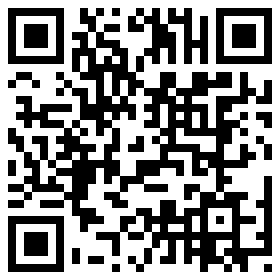
I was a little surprised when I saw them all over the Black Friday ads back in November. This is a QR or Quick Response Code. Simply, put it is a 3D barcode. It's a much more sophisticated version of the barcode on your bag of Lays Potato Chips. QR Codes are popping up everywhere and are gaining in popularity in education. So, I have been taking some time and doing a little digging about QR codes and trying to find some resources so you can get started using them.
First a video.
In a nutshell, you need a device that has a camera so you can scan or take a picture of the code, a program to do the decoding and web access to see where the code takes you. This limits you to cell phones and the new iPod Touch. (You could use a computer and a scanner but we are going for mobility here.)
Apps:
You will need a reader installed on your phone. There are lots to choose from and most are free. For the iPhone NeoReader seems to be the most popular. On Android the Barcode Scanner from Zxing is very popular (it's the one I use). But NeoReader works on most Android phones as well. There are other apps too for non-smartphones. Just do a Google search for your phone and "qr code reader" and you should come up with something.
Why A QR Code:
Because QR Codes can contain up to 4000 characters of information you can put a ton of information in just one code. For example, it could be something as simple as a web address. So if you scan the code at the top of this post you will get the address for my blog. QR codes are also beginning to appear on business cards because, again, they can contain lots more information. But by far their most popular use is for web addresses. The ads I mentioned earlier all contained codes to sales information that didn't appear in the ad or on the regular website. Another place I have seen them is at our local zoo. You can walk up to the exhibit, scan the code and get more information about the animals and even video and audio. (Great for those times when the animals aren't active.)
One idea for use in the classroom (I will have more below) that comes to mind is books. When I was in the classroom kids would go to the library and literally judge a book by its cover. But think about if you threw in a QR code on the front cover. The students can scan and read a book review written by a student from last year or even watch a video trailer of the book that a student created as part of a project. All of that information contained in a small black and white square on the cover of the book.
Pretty cool huh?
Creating QR Codes:
Easy as (insert something you think is easy here). There are lots of different websites that will allow you to make QR codes. One of my favorite is from Kaywa. Simply drop in the website you want the user to be directed to (or other information like general text, phone number, or SMS message) click Generate and BANG! A QR Code you can embed or print anywhere.

More Ideas For Education:
I have been saving several websites as they come across on Twitter. There is tons of great information out there on QR codes in Education. Here is just a sampling.
Interesting Ways To Use QR Codes In The Classroom-This presentation, started by the amazing Tom Barrett, has over 28 ways to use QR Codes in the classroom. Best thing here? If you come up with a different way in the presentation, you can add your idea.
Using QR Codes To Tell A Story- This post I saw just the other day has several ideas on how students can create and use QR Codes to tell stories. Lots of lesson ideas and more QR Code resources here.
Using QR Codes In Student Projects-The ladies over at Simple K12 recently wrote about post about using QR Codes in the classroom and give some quick examples. There are also some great ideas in the comments so be sure not to miss those.
Take some time and read up on some of this stuff. Even if you don't have the devices for students use it is still worth knowing about.
Or maybe your students have cell phones you could sneak and use for a lesson.
I promise, I won't tell anyone.
(Have more ideas or information on QR Codes. Leave it in the comments below. )
Update: Be sure to read some of the comments below. There are some really good links in there! One I wanted to point out in particular was this video from David Hopkins on how one school is experimenting with QR Codes. Some really cool examples! (It also shows how you can use QR codes without a phone or mobile device.) Thanks David!
I was a little surprised when I saw them all over the Black Friday ads back in November. This is a QR or Quick Response Code. Simply, put it is a 3D barcode. It's a much more sophisticated version of the barcode on your bag of Lays Potato Chips. QR Codes are popping up everywhere and are gaining in popularity in education. So, I have been taking some time and doing a little digging about QR codes and trying to find some resources so you can get started using them.
First a video.
In a nutshell, you need a device that has a camera so you can scan or take a picture of the code, a program to do the decoding and web access to see where the code takes you. This limits you to cell phones and the new iPod Touch. (You could use a computer and a scanner but we are going for mobility here.)
Apps:
You will need a reader installed on your phone. There are lots to choose from and most are free. For the iPhone NeoReader seems to be the most popular. On Android the Barcode Scanner from Zxing is very popular (it's the one I use). But NeoReader works on most Android phones as well. There are other apps too for non-smartphones. Just do a Google search for your phone and "qr code reader" and you should come up with something.
Why A QR Code:
Because QR Codes can contain up to 4000 characters of information you can put a ton of information in just one code. For example, it could be something as simple as a web address. So if you scan the code at the top of this post you will get the address for my blog. QR codes are also beginning to appear on business cards because, again, they can contain lots more information. But by far their most popular use is for web addresses. The ads I mentioned earlier all contained codes to sales information that didn't appear in the ad or on the regular website. Another place I have seen them is at our local zoo. You can walk up to the exhibit, scan the code and get more information about the animals and even video and audio. (Great for those times when the animals aren't active.)
One idea for use in the classroom (I will have more below) that comes to mind is books. When I was in the classroom kids would go to the library and literally judge a book by its cover. But think about if you threw in a QR code on the front cover. The students can scan and read a book review written by a student from last year or even watch a video trailer of the book that a student created as part of a project. All of that information contained in a small black and white square on the cover of the book.
Pretty cool huh?
Creating QR Codes:
Easy as (insert something you think is easy here). There are lots of different websites that will allow you to make QR codes. One of my favorite is from Kaywa. Simply drop in the website you want the user to be directed to (or other information like general text, phone number, or SMS message) click Generate and BANG! A QR Code you can embed or print anywhere.
More Ideas For Education:
I have been saving several websites as they come across on Twitter. There is tons of great information out there on QR codes in Education. Here is just a sampling.
Interesting Ways To Use QR Codes In The Classroom-This presentation, started by the amazing Tom Barrett, has over 28 ways to use QR Codes in the classroom. Best thing here? If you come up with a different way in the presentation, you can add your idea.
Using QR Codes To Tell A Story- This post I saw just the other day has several ideas on how students can create and use QR Codes to tell stories. Lots of lesson ideas and more QR Code resources here.
Using QR Codes In Student Projects-The ladies over at Simple K12 recently wrote about post about using QR Codes in the classroom and give some quick examples. There are also some great ideas in the comments so be sure not to miss those.
Take some time and read up on some of this stuff. Even if you don't have the devices for students use it is still worth knowing about.
Or maybe your students have cell phones you could sneak and use for a lesson.
I promise, I won't tell anyone.
(Have more ideas or information on QR Codes. Leave it in the comments below. )
Update: Be sure to read some of the comments below. There are some really good links in there! One I wanted to point out in particular was this video from David Hopkins on how one school is experimenting with QR Codes. Some really cool examples! (It also shows how you can use QR codes without a phone or mobile device.) Thanks David!
Thursday, December 16, 2010
Wednesday, December 15, 2010
Subscribe to:
Posts (Atom)