Tuesday, April 5, 2011


Sunday, April 3, 2011
Get Connected Why Don't Ya!
Last week I spent several days in San Francisco taking part in ASCD 2011. It was a great conference with lots of great sessions. I might even have a wrap up post in the works.
While there I ran into my good buddy Ken Royal and he and I did a short video about what I was doing at ASCD11 and the importance of getting connected.
What do you think?
If you are interested you can find the resources from my Connected Administrators session here and the resources from my PLN session here.
Here is what I am struggling with in my thinking lately. What makes someone get connected? I had someone tell me they had been following me on Twitter for 3 months. I asked her what she was doing 4 months ago and why she decided to give Social Media a try and she really didn't know. So, what say you? Why are you connected? What made get connected? Why stick with it? Leave me some comments below.
While there I ran into my good buddy Ken Royal and he and I did a short video about what I was doing at ASCD11 and the importance of getting connected.
What do you think?
If you are interested you can find the resources from my Connected Administrators session here and the resources from my PLN session here.
Here is what I am struggling with in my thinking lately. What makes someone get connected? I had someone tell me they had been following me on Twitter for 3 months. I asked her what she was doing 4 months ago and why she decided to give Social Media a try and she really didn't know. So, what say you? Why are you connected? What made get connected? Why stick with it? Leave me some comments below.
Wednesday, March 23, 2011
What's Wrong With Google Telling Me Everything?
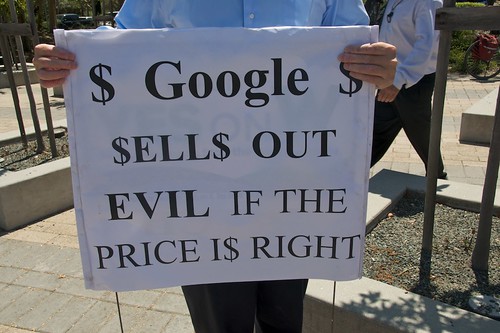
First let me clarify. I use the term Google Searches loosely. That has come to mean all searches but there are obviously other search engines out there (Like Bing and Yahoo) that are still relevant and used in schools. But by far, Google is the most popular search engine around.
So my question is, what's wrong with the fact that Google is able to tell me everything I need to know?
I am having trouble remembering what I did before search online. I imagine it involved a trip to my local library (which I still enjoy doing) and spending hours and hours of research to find the simplest of facts or answers. I still remember using a card catalog, pulling out the long drawer of dusty and musty 3x5 cards, in an attempt to find the population of New Zealand in 1975.
So what would have taken 5 minutes of searching, now takes seconds. Granted, it doesn't seem like all that much but still, when doing massive amounts of research, spending time in search engine land is a life saver, travel saver, money saver, etc. I use search everyday for all sorts of things. And Google searches especially because of the shortcuts that are available.
So I ask whats wrong with Google (or any other search engine) telling me the answers I seek?
The argument seems to be, in the classroom, that if a question is asked that Google can answer, then there is something wrong with the question. I'm not so sure about that. Yes, I want students to be at the top of Blooms Taxonomy and be evaluators and creators. But having some factual knowledge is important too.
I don't think there is anything wrong with asking questions search engines can answer. After all that is what they are there for. What is wrong is when the question is the end of the lesson. And often times it is. Lessons will end with the facts when really that is just a beginning. If we are asking questions of kids that search engines can answer and not asking them to think about the quality of the information or where that information comes from then why bother?
Any Joe on the street can type some words into a search box and get results. But, we are headed down a road where we are graduating groups of students who don't think critically about the information they receive (and who think The Onion has real news.)
Sure we need to spend time teaching kids on how to do quality searches, using key terms and wildcards. But that is a lesson over a day or two. What needs to be woven into our curriculum is what Howard Rheingold calls Crap Detection. The premise is that even adults have a very difficult time filtering out the junk of what is online. So if adults are having a hard time how can we be teaching critical thinking to kids? It's ok for kids to get their information online and from search engines but if we are not having longer conversations about the evaluation of the resources we are using then we are just reinforcing what people already believe; that is we simply cramming facts into the brains of our students.
Need an example of fact checking? Check out this website about Explorers.The first time I saw it, I will admit, I was fooled. I thought it was a great site for information about Explorers. I sent it to a teacher without looking at the entire site and comparing the information found there to other sources. Only later did I find out that it was set up to teach kids (and people like me) about fact checking and critical thinking on the web.
So if we are asking questions that Google or any other search engine can answer, that's cool with me. But, if we aren't taking the next steps and having kids explain the choices of the sources of our information then we aren't moving up Blooms, which is what we should be doing. Check out a wiki Howard set up about Critical Thinking that is full of great information how to teach it, understand it and use it. And you can use this guide from Microsoft that aims to help kids improve their search skills and gives some lessons to use in the classroom.
What do you think? Is it wrong for Google to be able to tell us everything? How do you teach critical thinking about web resources in your classroom. Leave some ideas below.
Image from Ari on Flickr CC
Tuesday, March 22, 2011
Tuesday, March 15, 2011
Quick List Of iPad Resources For The Classroom

In keeping with the "My Favorite Resources" theme (last week I listed my favorite resources for talking about Twitter) here are my go-to resources when people ask me about iPads in the Classroom.
ISTE iPad In Education Webinar Resources-A while back ISTE ran a great webinar with some fabulous educators on using iPads in the classroom. This site has loads of information, a collection of articles, lists of apps and information on Apple's Volume Purchasing Program.
iPads For Education- While this site comes courtesy of the Department Of Education in Victoria Australia, there is lots of information that can cross the Pacific that you can use in your classroom. Be sure to check out the suggested apps, the case studies and the 21 Steps To iPad Success which has everything you need to know if or when you roll out these devices.
Sample Lessons-iPads In Education-5 Quick Lessons using various iPad apps. You could use these as an example for lessons you might write.
Cybrary Man's iPad Resources- My friend Jerry of course has a great page with tons of resources related to everything iPad. There is more stuff in here than just iPads in education. There is general info, app reviews and more. (And some good info on iPad 2.)
iPad: Ideas To Inspire- From the widely popular series, there are now 47 ideas how to use the iPad in the classroom. Don't miss this one.
Tony Vincent's iPad Resources- Tony is considered by many the expert when it comes to these devices in the classroom. He has a plethora of resources on everything iPad including a great interactive that shows you Tony's must have apps.
IEAR- Dedicated to more than just iPads this community of educators reviews devices, apps and more. This is always my first stop when looking for apps to use with kids.
iPads4Eduation-This network of over 150 members is a great place to connect with other iPad in education users, post a question on the forum or read the posts to get ideas to see what others are doing.
The iPad Livebinder- My friend Mike has put together a most awesome livebinder with great resources for iPads in education. Lesson plans, apps, and more. There is even a section for administrators which I found very helpful. With over 60,000 hits on Livebinders, Mike must be doing something right!
Those are just a few sites to get you started. In each one I am sure you will find more information than you know what to do with. But maybe not. Maybe you are sitting on a resource not listed here or in any of the ones I list. Wanna share? Of course you do! Post it in the comments below.
Image from umpcportal-CC on Flickr
Friday, March 11, 2011
Yep. Google Will Do That...
We all know Google will do searches, mail, calendars, images and tons more stuff but I got really excited when I came across this list on Twitter with all the Google Tools and Apps, listed A-Z. So many great resources.
It was so helpful, I am doing a workshop for our district next week on the lesser known Google tools that can play big roles in the classroom.
Below is the presentation. What are your favorite unknown Google Tools?
It was so helpful, I am doing a workshop for our district next week on the lesser known Google tools that can play big roles in the classroom.
Below is the presentation. What are your favorite unknown Google Tools?
Subscribe to:
Posts (Atom)