Wednesday, January 30, 2013

A Wrap Up Of Day 1 At #FETC

I've had the pleasure of spending time at the Florida Educational Technology Conference, better known as FETC. Held in Orlando, educators from across Florida and the world really, are here talking educational technology and learning together.

Today was filled with lots of sessions and even a presentation from yours truly. Below are the links to everything I did today.

Seeing Tomorrow, Today-David Thornburg
Notes-http://bit.ly/fetctomtoday
In this session we examined the pitfalls of purchasing technology today and how schools and districts can make better purchasing decisions.

Personal Learning Networks-Holly Atkins
Notes-http://bit.ly/plnsfetc
While I am no expert on Personal Learning Networks I do speak a lot about them and profess their usage so I enjoy to hear other perspectives on them and their creation. In this session, the presenters focused on Twitter and Pintrest. While I haven't spend a lot of time there, I can see why Pintrest is popular with educators. (And if you are looking for a more ed-friendly Pintrest like tool, check out Educlipper.)

Web Tools-Adam Bellow
Notes-http://bit.ly/webtoolsfetc
I consider Adam a really good friend of mine and anywhere I can catch him present I do because he always teaches me something new. This session did not disappoint. Amongst all the web tools shared, there were several I did not know about including Ujam, Desmos, and Fotor, each of which I can wait to dive into. There were lots of take aways here so be sure to check out the notes for all the info.

Creating Student and Teacher Friendly Social Media Guidelines-Steven Anderson
This was my session from today. I wanted to share the methods I have found with other schools and districts in creating positive social media guidelines and best practices. I try to lay out the steps that make sense but also allow for flexibility for customization. Below is the presentation along with some links for review.


The article I wrote for Edutopia and Facebook

Sample Social Media Guidelines and Best Practices

That was Day 1. Check back later on for the wrap up of Day 2 and my final thoughts from here at FETC. 

Monday, January 28, 2013

So...You Wanna Be A Good Digital Citizen

This is an update from a post a wrote a while back. I've included some new resources to check out. 

Recently, my district began a huge initiative to combat bullying/cyberbullying and to help students become more aware of the choices they make both in their face-to-face lives and their digital decisions as well. There is no one right way or right answer that will stop the problems. However, I do believe that the classroom and our schools are the places where tough conversations need to be had.

I have been collecting several resources and I want to share. By no means is this all the stuff that is out there. And some of it may work or may not. The point is to find something (curriculum, activity, website, video, etc) and start having the conversations, not just with students but with teachers, administrators, parents and our communities.

To start, I want to share this powerful video that was recently shared with me. It's all about the choices our kids are faced with everyday and the consequences of their actions.


So besides the interactive nature of the video (which is pretty neat) there are some tough issues here and no doubt these are some of the digital decisions our kids are making each and every day.

How can teachers and schools help? As with most things, education is key. Understanding where kids are in today's Digital Society can be a helpful first step. PBS did a masterful job capturing teen voices in their series, Digital_Nation. You can hear from teens themselves, parents and other experts as they discuss what it means to be a Connected Kid.

There are lots of curricula out there to use in the classroom.You can do a quick search and find lots of free (and paid) stuff. However, I believe one of the best are the lessons and activities from Common Sense Media. They have a full, K-12, free curriculum you can use and adapt to your needs. There are even alignments to the ISTE NETs, AASL, and the English Common Core.

Another way to show students the power their digital footprint has is to check out a great interactive from The Discovery Channel, Your Digital Footprint. In it users are posed with different scenarios and the site shows the impact of that choice and how their image, information and more are recorded and stored. It's more about awareness and understanding than avoidance.

Here are some more just general resources to check out.
These are just a few resources. I have many more in my Diigo links and you can find that here. I also have a post that I wrote awhile back about Taking Care Of Your Digital Self, that has more ideas on knowing about your online identity.

For me, we need to start having and keep having lots of conversations. Everyday, educators all over the country are asked to use digital tools with kids and increasingly, kids are becoming more and more connected. The earlier we start talking and the more we keep talking, again, not to just our kids but our teachers, administrators, parents and the community, the easier it will be to deal with these digital issues as they arise.

These are some of my favorite resources. What are yours? Or what are you doing to start these conversations where you are? Leave some comments below.

Monday, January 21, 2013

Formative Assessments Are Easier Than You Think!

When I was teaching science one of the best lessons I learned was about formative assessment.

In my first year of teaching I taught the way I was told to teach. Deliver content to my students, assess at the end, remediate if necessary. With that cycle, I always had kids who were behind, who never seemed like they could catch up.

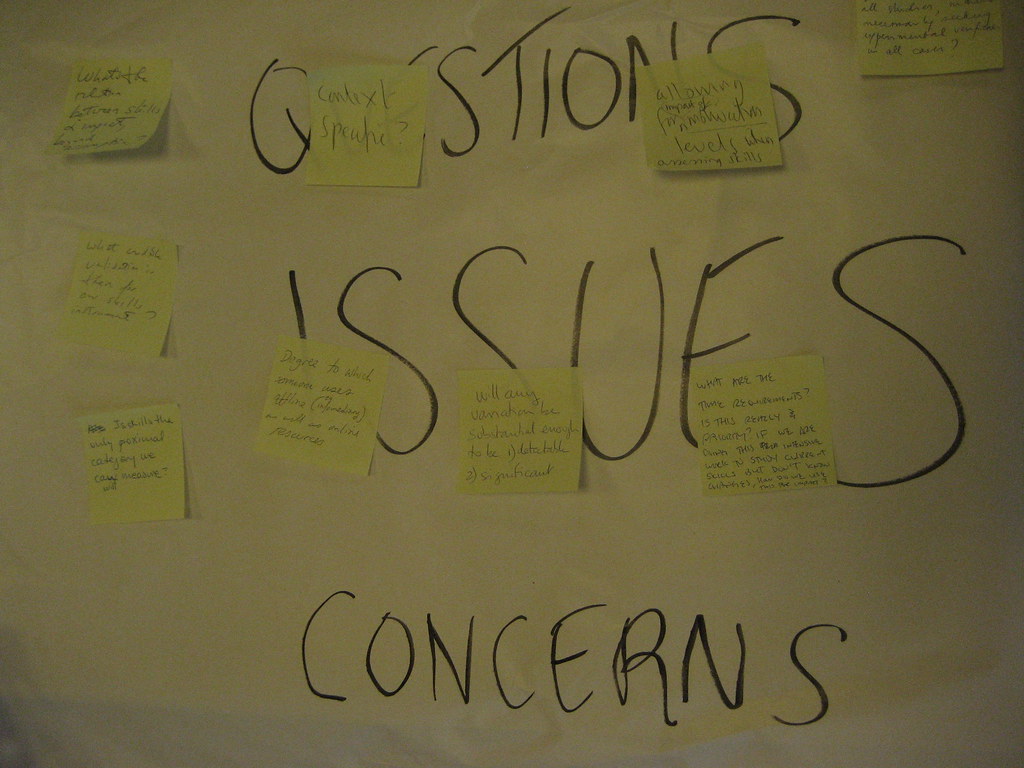
I was talking with a teacher friend the summer after my first year and she suggested something simple. Put a large piece of paper next to the door. Give every student a pack of sticky notes. On the way out the door they could put their thoughts about what they didn't quite get or what they were still having trouble with. They could leave their name or not. Either way it gave valuable insight to how the students were learning but also could help shape the lesson for the next day.

What a difference that made.

The following school years that board became an important place for myself and my students. It provided them a way to tell me what they needed and a place for me to reflect on my teaching and give my students what they needed.

Now, as 1:1 and Bring Your Own Device (BYOD) are taking over our schools, its becoming even easier to formatively assess what our students know and for our students to leave feedback as to what they need.

Here are a few sites and apps to help with formative assessments...

Online Sticky Notes-Just like my physical space in my classroom there are lots of virtual sticky note sites out there. Two of my favorites are Wallwisher and Lino. These provide a virtual corkboard for students to leave notes of questions or comments on their learning. They are easy to set up and free. Best part, kids don't have to have an account to leave a note and they can do it any time, anywhere. All they need is the address. (So you don't even have to be a 1:1 classroom or BYOD. The kids could do them from home.)

Backchannels-Hugely popular at conferences and other educational gathering the backchannel provides a way for participants to share in conversation while participating in learning. In the classroom they can be a way for kids to collaborate without shouting across the room. In terms of formative assessments, questions at various points through the lesson could be posted there and kids could respond. My favorite backchannel service is TodaysMeet. Again, simple to set up (all you need is a room name and to decide how long you want the room to be open). Free as well, its available any time, anywhere.

Understood It-A new-to-me service, this one is elegantly simple. The teacher creates an account (for free, 5 questions per month) and gives the students a unique address. Then during the lesson the kids can hit a button to show they understand it or they are confused. The teacher can see the results in real time. The more kids who are confused, the higher the graph. Instant feedback that the teacher can use to change the scope of the lesson.

Poll Everywhere- Another one of my favorites, simply because of the variety of uses and methods of submitting responses. Similar to the others, the teacher can create a simple feedback poll or leave the question open ended. The students can respond via text message, website or even Twitter. Again, the point here is we can capture the feedback from the students using a variety of methods, almost instantly. Another great feature of Poll Everywhere is the data analysis you get. You can export results to create more ways of analyzing data. (Like if the questions are open ended, you could export the results to put them into a Wordle to see what terms are showing up the most.)

Socrative- This one is quickly become a go-to app for formative assessments for me. The teacher creates an account and a room (for, you guessed it, free). Then the students go to the site (either through the app or through a browser), enter the room number and they see a question or a open response question to answer. I like this one a lot because of the variety of choices for questions to answer. One is even called Exit Ticket where kids can quickly summarize what they learned and tell you what they need for tomorrow.

Quick and easy, five tools you can use tomorrow in your classroom to help improve formative assessment.

These certainly aren't all. What are some of your favorite sites or apps to help with formative assessment in your classroom? Do you have a suggestion about formative assessments? Leave some feedback below.


photo credit: Technology & Social Change via photopin cc

Monday, January 7, 2013

A Class You'll Be Excited To Take. #ETMOOC

It's been a few years since I last took a formal "class." My entire Masters degree was done online back in 2009 and 2010 and that wasn't all that traditional at the time. Now it is almost the norm. But I do enjoy learning and I am very interested in the ideas of MOOCs or Massively Open Online Courses and have been for a while.

If you aren't familiar with MOOCs the idea is that major universities (like Harvard, MIT, Georgetown and others) offer courses from their faculty  free, and online, for any one to take. The courses could have hundreds to thousands of students in them. There are several websites, like edX, Coursera, and Udacity that offer these courses to the masses. The beauty of this is, the topics are wide but deep. Interested in physics, computer programming  Greek History, copyright or something in between? You can find it and take it...for free...from some of the brightest minds and best universities on the planet.

So, when I saw #ETMOOC, I had to jump at the chance to take part.

What is #ETMOOC you ask?

It is a MOOC with a focus on educational technology and media. The idea is that we learn from each other and create our own paths of learning. Each week there are several topics (like Sharing is Accountability  Crap Detection, Becoming A Networked Leader) to explore and opportunities for growth and learning with everyone in the #ETMOOC community. Sessions take place in Blackboard Collaborate and are archived and repeated if you can't make the time. Also there are shared activities to do and share. A weekly Twitter chat on Thursdays will help expand our knowledge and sharing as well.

I am excited to take part and learn with and from everyone else.

You can learn more about the development of #ETMOOC in this post from one of the creators, Alec Couros. You can also visit the #ETMOOC website to learn more about what will be covered and sign up to participate. Oh and you can follow the #ETMOOC hashtag on Twitter to see what people are saying there.

The course starts next week (Jan 14) so be sure to sign up soon.

Friday, December 21, 2012

A Reflection On 2012-The Most Popular Posts

As we close out 2012, let's take a look back at the most popular posts here.

With the release of the Apple iBooks Author many educators jumped at the chance to create their own textbooks and books for the classroom. But what if you don't have access to it or don't use Apple in your district? There are lots of other ways to make living textbooks and books. Better yet, there are lots of tools that kids could use. In So...You Wanna Make Your Own Texbooks and Books I gave a few of my favorite tools and others contributed some in the comments. 

Seemed like no one could escape the term "flipping" this year. At ISTE there were several workshops and sessions dedicated to teaching the masses about how to flip their classroom. I still don't buy the concept of flipping the classroom. (I know, I've been saying for a while I need to write a post as to why.) But when it comes to faculty meetings, I think the flip could work in everyone's favor. Freeing up time from pointless and boring meetings to do meaningful professional development could have a big impact on student learning. In Flipping...It's Not Just For The Classroom and Flipping Your Faculty. It's Easier Than Videos I discuss how it could be possible to flip those faculty meetings and provide a time for real learning and the tools to make that happen. 

Data can be boring. Reading a bunch of stats may be fun to your neighborhood statistician but to your Average Joe it could put one to sleep. Infographics have been around for a while but for the better part of this year there were new one's coming out each week on various topics. Teaching with and through infographics can be challenging, yet rewarding. In So...You Wanna Make Your Own Infographics, we look at several different services to make infographics without a Masters degree in Illustration and also look at some ideas on how kids can use infographics for learning. 

In our district one thing is for sure. Our kids and teachers love Edmodo. Not only do most of our teachers have a space set up there for their classrooms, many of our district PLC groups have spaces there to share information and grow professionally. Across the country Edmodo saw their platform grow in popularty as well. But what is it all about and how can teachers use it effectively? In Why You Should Give Edmodo A Try we explore how we've been using it here and how you can start using it in your classroom. 

Lastly, I had tried for over 2 years to figure out Evernote. I would install it, try to use it and forget about it. For New Years this year I committed to getting myself organized and I thought Evernote would be the perfect way. I am hooked. (Even paid for a Pro Account.) I can't live without my Evernote. In How Things Changed With Evernote we look at my experience and how I use my Evernote. In What Do You Mean Evernote Could Get Better?  I explore the many ways educators are using Evernote and how you can extend its use with lots of third-party apps. 

Those were my most popular posts this year. Thanks so much for reading and sharing with me this year!

What are some things you would like to see me write about next year? (Hey about about that post on flipping for a start!) Leave me some comments below. 


photo credit: TaniaMG via photopin cc

Monday, December 10, 2012

Flipping For Your Faculty...It's Easier Than Videos

Lots has been made about flipping over the past year or so.

Unfamiliar with the term?

No problem. Here is an explanation.


So the idea is, there is some sort of information transfer (basic information about a learning concept) outside of the learning environment (classroom) allowing for further discussion or extended learning when in the learning environment. (I made that sound all fancy. Neat!)

The watered down version is that we front-load information about a concept outside of the classroom so when kids are in the classroom the time is spent on knowledge extension or deeper understanding of the content.

I will admit it. Not a big fan of flipping the classroom. (Another post for another day.) I am however a huge fan of flipping faculty meetings.

We've all been there. Those meetings that drag on, and on, and on. Seemingly pointless meetings that, while they may have had a purpose, it got lost in the message. Many meetings are just information transfer. What are the dates for training for administering the next state exam? Who is going on the field trip? Remember to walk your kids to the cafeteria. But think about if that hour/90 mins/half day was spend on meaningful, embeded professional development that was participant driven? We complain we don't have the time for that really good PD. Why? Because we are meeting all the time. So instead, lets flip it. Let's front load with all the basic information we all need, freeing up that faculty meeting time for more learning, PLCs, sharing, etc.

But what can you use to share the information. You need something easy. Something that won't take a whole lot of time. But will communicate what you need it to.

Videos. Ah. The traditional tool of the flipper. For some, a great option. There are some easy to use screencasting tools out there (Screencast-o-Matic being my favorite), but for the time strapped administrator, creating a script, shooting and editing can be too much.

What are some other ways you could flip those faculty meetings...today?

Padlet-Online sticky notes can be a simple and easy way to post information to your staff. Create a free account and post. You can even have staff post back. So, for brainstorming, data analysis, or where does everyone want to eat on Friday, Wallwisher is an easy option to share information and gather feedback. (Learn more about Padlet here.)

Voicethread-Perhaps my favorite way for Admin to flip, creating a Voicethread is a snap. Upload an image, PDF, PPT, doc,or short video then leave comments on each "slide." I was working with some administrators and they were talking about putting anonymous walkthrough data in Voicethread and commenting on it for each of their grade levels. Easy! Best part? Just like Wallwisher, it's collaborative so faculty can leave voice, video or text comments on each "slide." (Learn more about Voicethread here.)

Edmodo-If you aren't using Edmodo as a school community you really should be. You can easily post notes, memos, announcements, polls and more to everyone, right in one, private place. (Learn more about Edmodo here.)

So those are my 3 alternatives to videos for flipping for your faculty (or even the classroom). Do you have some other suggestions? Have you flipped your meetings? How is it going? Leave some comments below.